Products

.svg)
Accessibility Widget
Accessibility tools for everyone
Accessibility Widget
Accessibility tools for everyone
Accessibility Widget
Accessibility tools for everyone
Accessibility Widget
Accessibility tools for everyone

It is 8:47 on a Tuesday morning. Sarah, a senior project manager at a mid-sized engineering firm in Sydney, has already missed two messages, has three meeting invites waiting, and still needs to brief her team on last week's decisions before a client call in forty minutes. Does this sound familiar?
This is the reality of modern work — not a shortage of tools, but an overload of friction. Too many windows. Too many notifications. Too much time spent chasing context that should already be at hand.
Microsoft Teams was built to solve exactly this problem. And with AI now woven into its foundation, it is increasingly capable of helping organisations like Sarah's not just manage the noise — but rise above it.
Smart and efficient work is no longer about logging more hours. It is about removing friction from the way people collaborate, communicate, and make decisions. As organisations adapt to hybrid work and rising productivity expectations, they need tools that genuinely support the way work happens today.
At Storata, we see Microsoft Teams as more than a collaboration platform. It is the foundation for smarter, AI-enabled work across the organisation — and in the next 12 to 24 months, the organisations that know how to activate this platform will build a meaningful and lasting advantage.
Microsoft consistently frames Teams around three principles. Together, they capture what modern organisations expect from a collaboration platform — and why Teams has become central to the way work gets done.
Everyday work is filled with repetitive tasks, follow-ups, and information hunting. Microsoft Teams uses AI to reduce this load. With Copilot in Teams, AI can help you:
• Summarise meetings and calls — automatically, without anyone needing to take manual notes
• Surface key information from chats, emails, and files — so you spend less time searching and more time deciding
• Highlight actions and next steps — ensuring nothing falls through the cracks
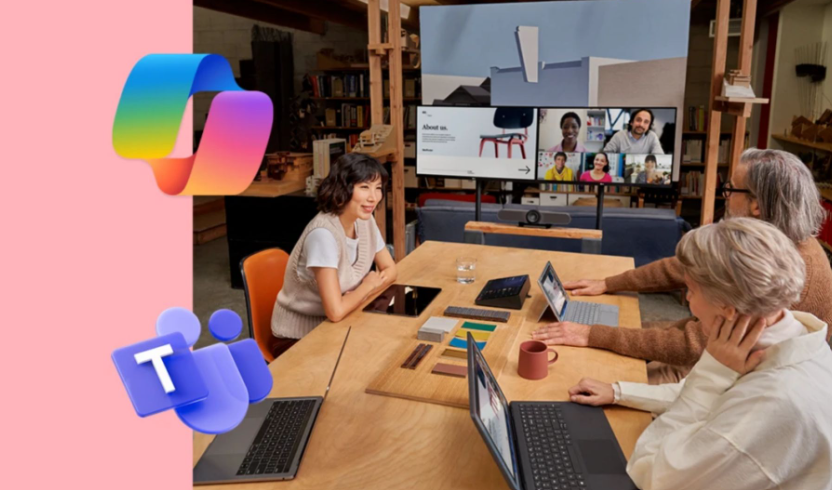
AI-powered meeting summarises all action items, and intelligently scripts the flow of work by attendees and non attendees
This means Sarah, from the opening of our story, can open Teams before her 9 AM call and ask Copilot: "What were the key decisions from last week's project review?" Within seconds, she has a clear summary — summarised in the actual meeting transcript — without needing to scroll through pages of notes or track down a colleague.
This is definitely not a minor convenience – this is a game changer for those who are short on time. Further over time, these minutes saved compound into hours, and those hours convert into meaningful strategic capacity.
Microsoft Teams brings meetings, calls, chats, files, and apps together in a single experience, fully integrated with Microsoft 365. Instead of switching between tools, teams can collaborate in one place — whether remote, hybrid, or in the office. Portability in one single location on the go, or in hybrid mode.
Small usability features make a big difference here. Custom views, favourites, and organised channels help people manage conversations and stay on top of what matters, even as collaboration scales. The result is a simpler workday with fewer distractions and smoother workflows.
As AI becomes part of everyday work, security and governance are essential. Microsoft Teams is built on Zero Trust principles, with enterprise-grade encryption and compliance controls designed to protect sensitive information. Microsoft Zero Trust principles are: trust nothing and verify everything always. The model of trust assumption was yesterdays safety, todays challenge is once the security perimeter is compromised, it then longer exists. Zero Trust automatically assumes its already compromised as it continuously scans, and explicitly requires verification.
These security-by-design approaches give organisations full confidence to adopt AI-powered collaboration inside organisational perimeters while maintaining control over data, access, and risk. For regulated industries and organisations handling sensitive client information, this is not just a nice-to-have — it is a prerequisite.
The modern workplace rarely has people in one place. Teams supports collaboration across locations, time zones, and roles — making it easier for people to share ideas, work together in real time, and stay aligned.
By bringing together chat, channels, calendars, notes, third-party apps, and Copilot agents, Teams keeps collaboration in the flow of work. Information is easier to find, conversations stay connected, and teams spend less time chasing context.
Clear communication is critical, especially in distributed environments. Microsoft Teams supports inclusive meetings and calls with features designed to keep everyone engaged and informed:
• Intelligent meeting recap — automatically captures key moments, action items, and speaker contributions
• AI-powered translations and interpretation — breaking down language barriers in real time
• Copilot summaries for calls and customer interactions — so context is never lost
These capabilities help ensure that everyone stays informed and engaged — whether joining a quick catch-up or a large-scale town hall with hundreds of attendees.
Communication is a vital part of work, and far too many organisations still run parallel systems for it. Microsoft Teams Phone delivers calling natively within Teams — reducing complexity and consolidating your communications estate.
Sarah, from our opening story did typically use siloed platforms, key call outs: sales staff would finish client calls on a separate phone systems, then manually write notes, then jumps back into Teams to update the team. With Teams Phone, that call happens inside Teams. Copilot generates a call summary and action items automatically. Sarah's whole project and sales team can now see the outcomes without a single extra step.
Thus, with Teams Phone, organisations benefit from:
• Centralised management — one platform, one admin experience, one place to govern
• Secure, compliant calling — meeting enterprise and regulatory requirements
• AI-powered call summaries and action items via Copilot — turning every conversation into structured, actionable intelligence
Flexible connectivity options and AI-powered transcription also improve accessibility and consistency across the business — particularly valuable for frontline and field-based workers.
Smart work is not just digital. And this is where one of the most compelling recent additions to the Microsoft ecosystem comes into focus: Microsoft Places.
Microsoft Places is Microsoft's AI intelligent workspace management platform — built directly into Microsoft 365 and accessible through Teams. Rather than treating the office as just a location, Places turns it into something dynamic and data-driven.
It connects together three capabilities that previously required separate tools or manual coordination:
• Workplace presence and work plans — employees can share when they plan to be in the office, so colleagues can see who's coming in on any given day and coordinate meaningful in-person collaboration without the endless back-and-forth.
• Desk and room booking — from the Teams calendar or the Places app, anyone can reserve a desk or meeting room using interactive floor maps that show real-time seating availability and the location of colleagues nearby. Partial-day and multi-day bookings are supported, along with delegation (so an executive assistant can book on behalf of a leader).
• Space analytics and occupancy insights — administrators and facilities managers can see how space is actually being used, enabling smarter decisions about real estate and investment.
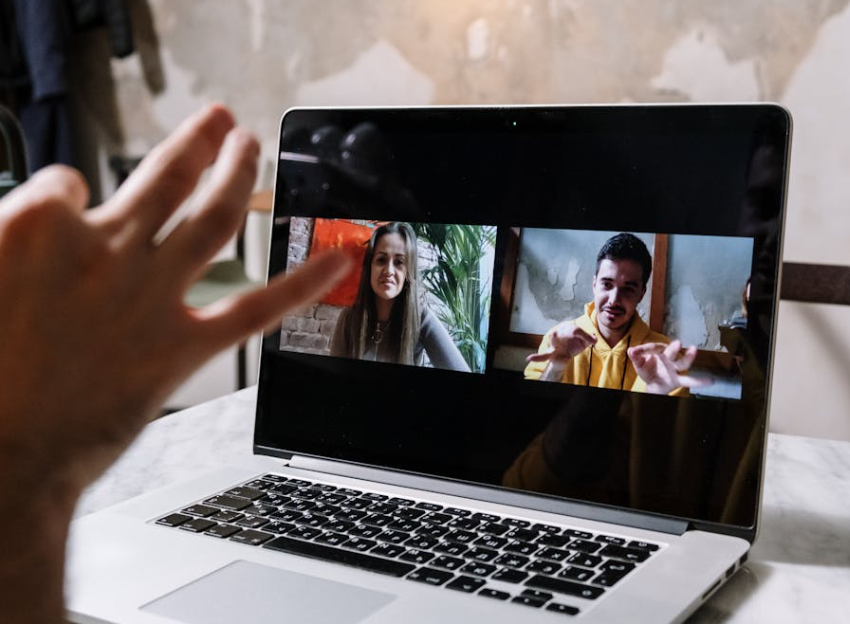
Teams Rooms — bridging physical and virtual collaboration.
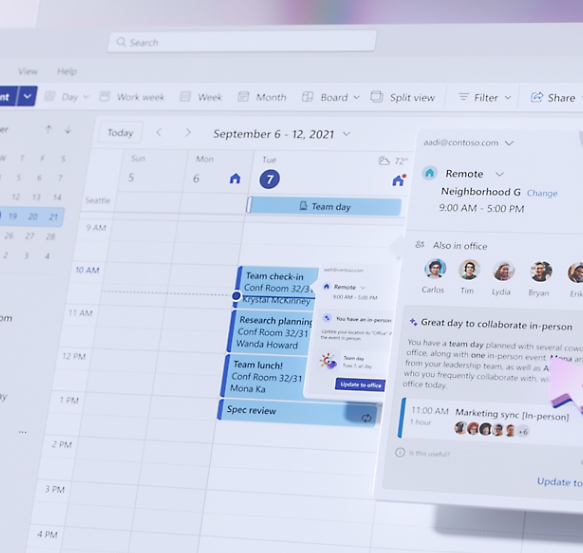
Microsoft Places — intelligent space and hybrid work management.
Lets pick Sarah again, one of her staff is planning to come into the Sydney office on Thursday open their Teams calendar. They can see that four of their closest collaborators (colleagues) are also planning to be in. They click to book a nearby desk in one step — no separate booking app, no email to facilities, no guesswork. Places has already surfaced that context, right where the decision is being made.
As of April 2026, Microsoft restructured the Places licensing model. Core features — including work plans, workplace presence, hybrid RSVP, room and workspace booking, desk assignment, and Places Finder — are included with many existing Microsoft 365 and Teams licences. More advanced capabilities such as individual desk booking at scale, auto-release of unclaimed rooms and desks, and detailed occupancy reporting are available under Microsoft's newer space-based licensing, which ties the licence to the physical space rather than the user.
For organisations managing expensive CBD office footprints, this kind of intelligence is not a productivity nicety — it is a commercial imperative. Ask Storata how this can be tailored for your organisation today.
Microsoft Teams is not a one-size-fits-all solution. It is an expandable ecosystem that can be tailored to different industries and workflows. And nowhere is that more visible right now than in the emergence of AI agents within Teams.
Beyond Copilot, Microsoft has introduced a family of specialised agents that sit inside Teams and help teams work smarter without needing to learn new tools or switch contexts.
Channel Agent — your project's AI teammate
Channel Agent is one of the most practical and useful additions to Teams for any organisation running projects. It lives inside a Teams channel and becomes an active participant in the project — not a passive archive.
• Automatically drafts and shares AI-generated status reports for projects — based on what has actually happened in that channel
• Answer questions from team members in real time — drawing on channel history, meeting transcripts, and any knowledge sources added to it
• Schedule meetings and suggest agendas based on what is outstanding
• Create and manage tasks, with reminders to the team
• Absorb meeting transcripts to build a persistent knowledge base — so a new team member joining mid-project can ask "what did we decide about the scope change in March?" and get an accurate answer instantly
In any Teams channel, select "Add people, agents and bots" in the upper right-hand corner, now search for Channel Agent. Once added, the agent adopts the name and icon of the channel, becoming a named participant. From that point, any channel member can @mention the agent to ask questions or request a status report. Channel Agent can also be added to meetings — where it will absorb transcripts as additional knowledge — and to group chats, where members can query it without leaving the conversation.
Note: Channel Agent requires users to have a Microsoft 365 Copilot licence to interact with it directly.
The business value is quite significant. In 2025, Microsoft's Work Trend Index reported that employees using Microsoft 365 are interrupted on average every two minutes by a meeting, email, or message. Channel Agent helps reduce that disruption by making team knowledge easier to capture, surface, and reuse — without anyone having to manually curate it.
Facilitator is Teams' in-meeting AI agent. It generates real-time AI notes during your meetings, answers questions in chat, keeps track of the agenda, and surfaces key decisions and open questions — all while the meeting is still running.
No more waiting for meeting summaries. No more"sorry, can you repeat what was decided?" Facilitator creates a live, collaborative record that the whole team can see and contribute to in real time.
For organisations with more specific needs, Copilot Studio makes it possible to build and deploy custom AI agents — without needing a development team. These agents can be grounded in your own SharePoint content, Teams channels, emails, OneDrive files, and public websites.
Sarah's mid sized engineering firm has built an agent grounded in their precedent library. It can deploy an agent that answers questions from a supplier's operations manual. A professional services firm could create an agent that summarises client engagement history before a key meeting.
Once built, these agents are invoked directly in Teams — via @mention or through the agent store. They bring your organisation's specific knowledge into every conversation, without anyone needing to search for it.
Technology alone does not create smart work. Adoption, design, and alignment do.
Here is the reality of where we are heading: in the next 12 to 24 months, Microsoft will continue rolling out features at pace. Many organisations will find themselves with access to powerful capabilities they have never switched on — or features that are technically enabled but practically invisible because no one has shown the team how to use them or, more importantly, why they should.
This is where Storata's value proposition is sharp. Our role is not simply to deploy software. It is to weave these capabilities into the stories and workflows of your organisation — so that a feature like Channel Agent becomes a habit, Microsoft Places becomes the way your team plans office days, and Copilot becomes the first place your people turn when they need to make sense of a complex situation.
• Storata designs Teams environments that match how your people actually work — not how a default configuration assumes they do.
• Storata enables Copilot and AI features responsibly and securely — with governance and change management built in from the start.
• Storata activates Microsoft Places for hybrid work planning — connecting space intelligence to the way your teams coordinate.
• Storata deploys agents that reflect your business — grounded in your knowledge, your processes, your language
• Storata extends Teams with apps, workflows, and custom agents that deliver measurable, real-world value
We focus on making Microsoft Teams work for your organisation and your staff — not the other way around.
Sarah, from our opening, now has her Tuesday mornings that looking completely different. Her Channel Agent has already surfaced the project decisions she needs. Copilot has summarised her overnight messages. Places will have shown her that three key collaborators are in the office — prompting her to book a desk for a working afternoon rather than a video call.
This is available today. The question is not whether your organisation will get there — it is whether you will be among the first to arrive.